

/a/account on your storefront, so the fastest reply is a login link.
Anything switched off under Customer portal features (Settings > Branding) moves to the Your admin row.
1
I can't log in
- The portal has no passwords, only single-use codes and links, so the fix is a fresh link.
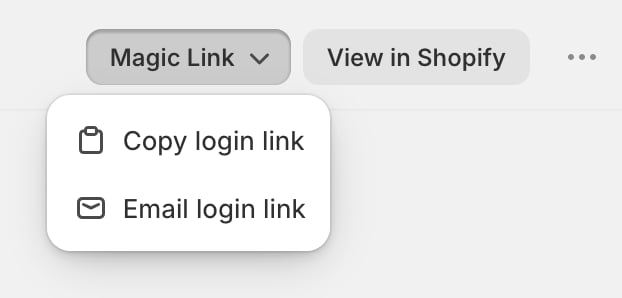
- Open Subscribers, open the person, and click Magic Link: Copy login link for your reply, Email login link to send it to them.
- It’s single-use and expires in 60 minutes, so create it when you’re ready to reply.
Checkpoint: the link is in your reply or their inbox.
2
My card needs updating
- Open the subscription (under Subscriptions) and click the pencil on the Payment method card; its one action is Send payment update email.
- Shopify sends the email and hosts the secure update page; card numbers never pass through you or the platform.
Checkpoint: email sent.
3
Anything else, one tap
- Any request you’ve built a quick action for becomes a single-use link that does it in one tap: skip, delay, ship now, reactivate with a discount, update payment.
- On the subscription’s page, click Quick action link and pick one; a link for this subscriber lands on your clipboard.
- Single-use, expires in 60 minutes.
Checkpoint: the fix is in your reply.
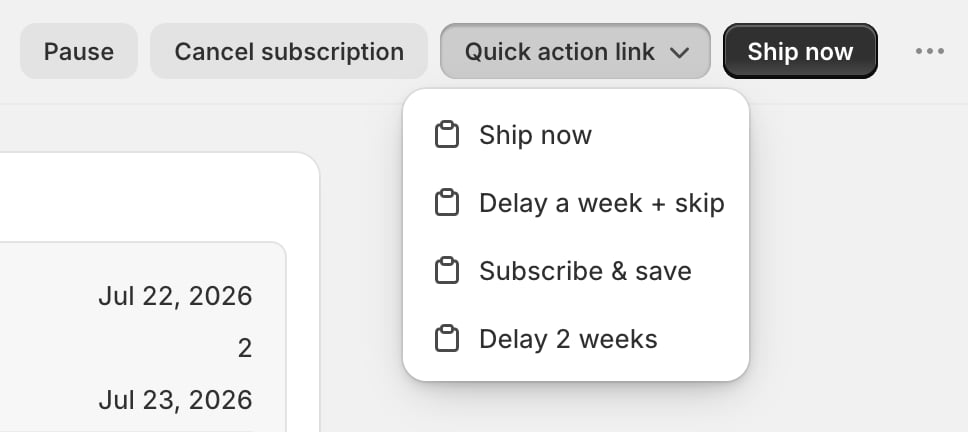
The menu lists what you’ve built. No Quick action link button means nothing is active yet; Set up quick actions takes ten minutes.