

1
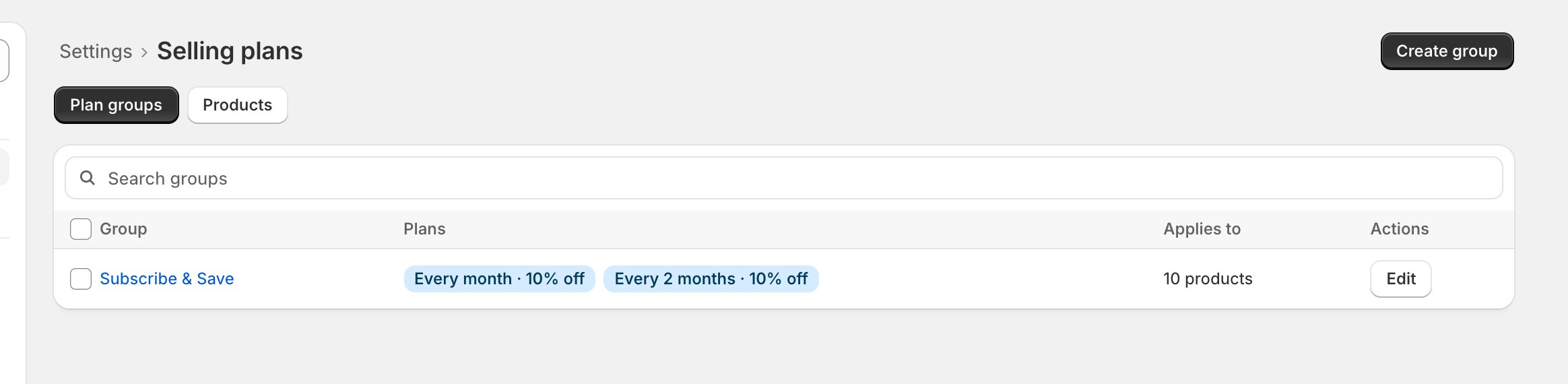
Match your selling plans
- In Settings > Selling plans, mirror the old platform’s plans: same frequencies, same discount levels.
- Migrated subscriptions keep their exact price and cadence no matter what. But the options a subscriber can switch to come from your selling plans, so matching them means nothing looks different after the move.
Checkpoint: every frequency you’re migrating exists in your plans.
2
Freeze changes in the old app
- Announce a change freeze: no plan swaps, address edits, or pauses in the old app between export and import.
- The export is a snapshot. Anything edited after it is silently lost.
Checkpoint: the team knows the freeze window.
3
Let payment retries finish
- In the old app, let in-flight failed-payment retries resolve, or cancel them.
- Subscriptions caught mid-retry don’t travel cleanly; OpenSubs imports a clean list.
Checkpoint: no subscriptions mid-retry.
4
Decide which discounts travel
- Nothing to do yet; just know the rule: permanent line discounts travel automatically. Discount codes and time-limited discounts don’t.
- The preview will name each one that can’t travel. You either remove it in the old app or hold that subscriber back and migrate them in a later pass (partial migrations are normal).
Checkpoint: you know which discounts you’re carrying.
5
Export fresh
- On migration day, export subscriptions from the old app’s dashboard. Skio and Stay AI: one file. Recharge: four (subscriptions, line items, addresses, payment methods). Loop and any other provider: map your export into the template files, with instructions on the upload screen. The screen shows the exact path for each provider.
- Doing the optional orders import? Grab the orders export in the same sitting.
- Fresh matters: every next charge date must still be in the future. A date that has slipped past blocks at the preview, and the fix is a fresh export, never a backdate.
Checkpoint: the row count roughly matches the old app’s active-subscriber count.