

1
Create a plan
- In your dev store’s admin, open Apps > OpenSubs, then Settings > Selling plans and create a new group.
- Name it Subscribe & Save, set delivery to every 1 Month with 10% off, and attach your product.
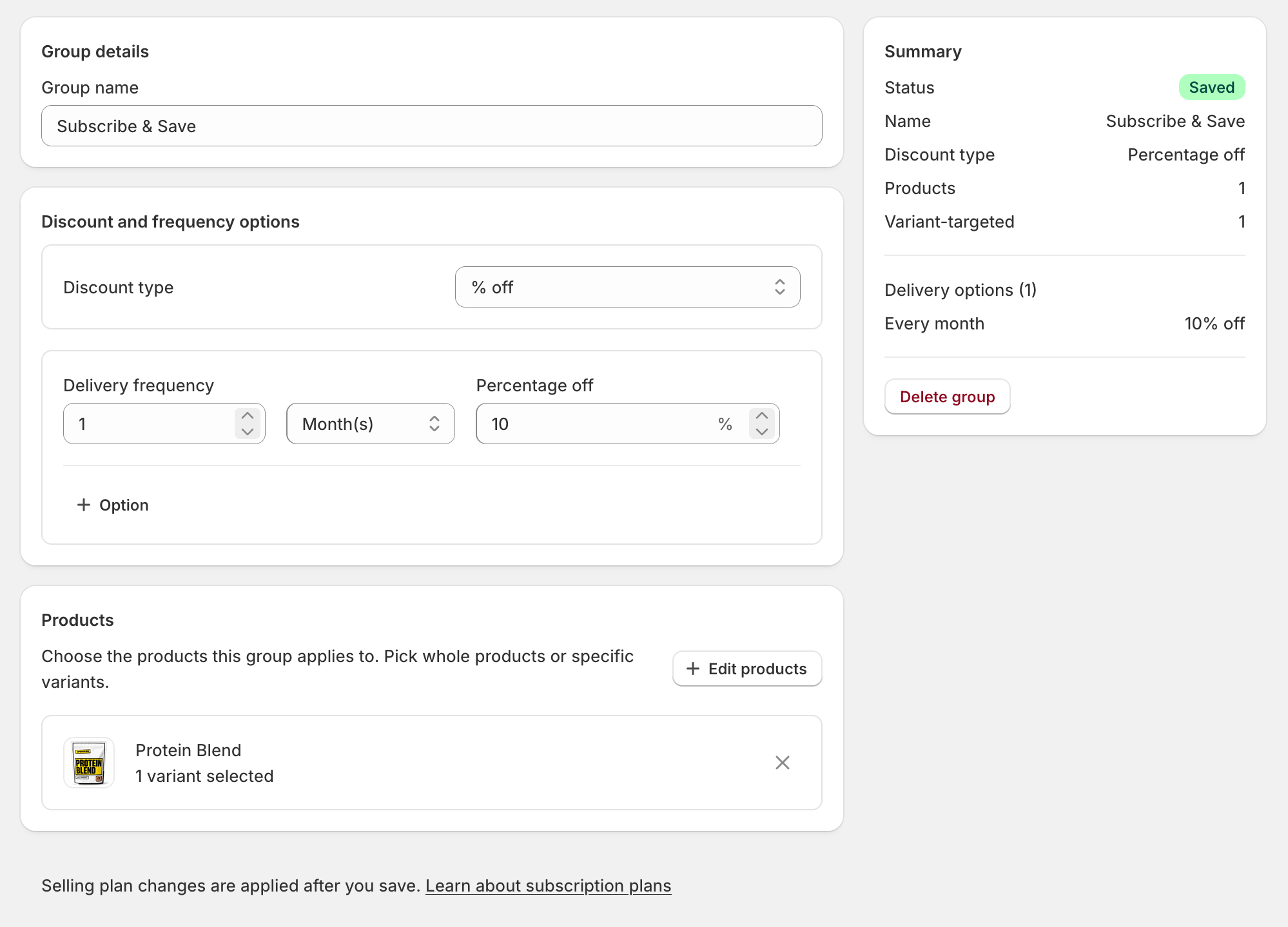
Checkpoint: plan saved. Monthly · 10% subscribe & save.
2
Place the widget
- In the OpenSubs admin: Settings > Extensions > Product page widget, then click Open theme editor.
- The editor opens with the Subscription options block on the product template; click Save.
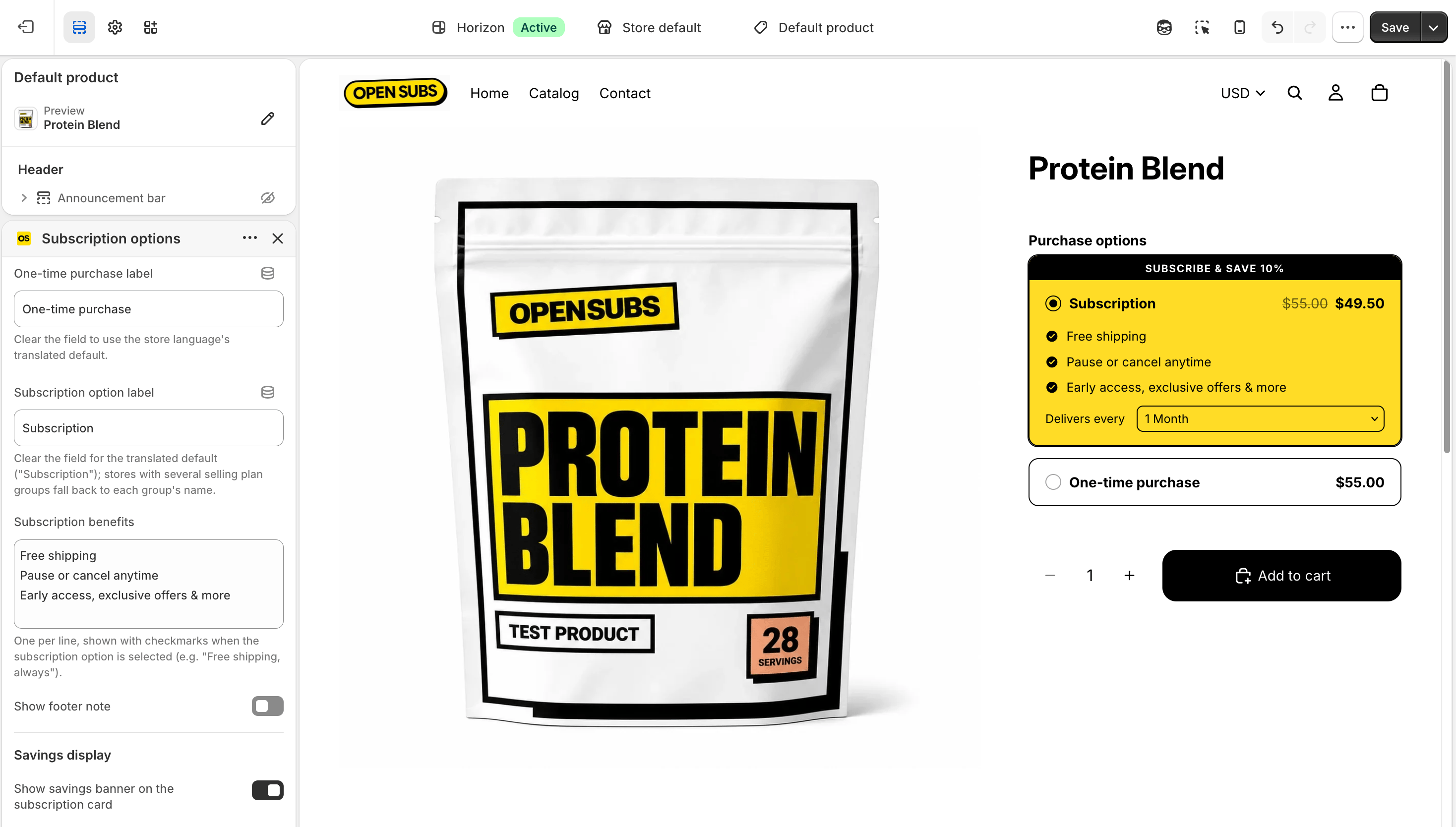
Checkpoint: block saved. The widget is live, on a store with zero subscribers.