

1
Create the flow
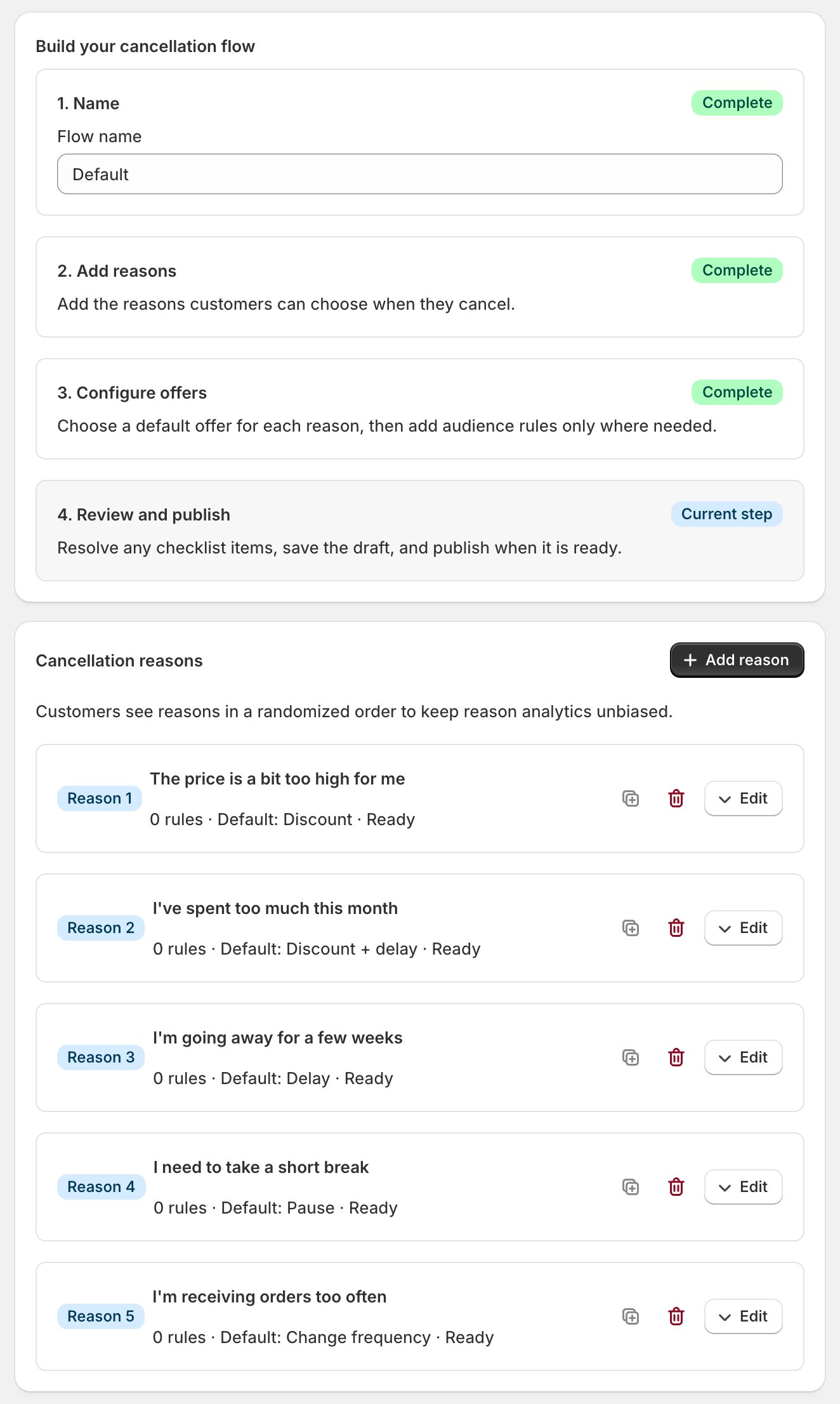
- Open Settings > Cancellation flows and create a flow. The builder has four stages: Name, Add reasons, Configure offers, Review and publish.
- Reasons are the choices a cancelling subscriber picks from (“Too expensive”, “Too much product”). Their on-screen order is randomized, so there’s no reorder control and no first-position bias.
Checkpoint: every reason a subscriber might have is on the list.
2
Attach the offers
- Each reason can carry rules: extra offers aimed at a segment. The first matching rule wins; the default offer catches everyone else.
- Offers are the saves: a discount, a pause, a delay, a frequency change, a merge. Match them to the reason: “too expensive” wants a discount; “too much product” wants a delay or lower frequency.
- Follow-up offers give you a second swing after a declined first offer.
Checkpoint: every reason lands on an offer that answers it.
3
Publish, and know the switch
- Save draft saves edits without changing status: on an unpublished flow they stay private. On a published flow, Save draft applies your edits to the live flow immediately. Publish flow makes an unpublished flow live once the readiness checklist passes.
- There is no separate on/off switch: publishing a flow turns the feature on; deactivating your last flow turns it off.
- One flow is the active default per store; targeted flows can sit alongside it.
- Cooldown (days), on the same Settings > Cancellation flows screen, suppresses repeat offers to a subscriber who recently took one: default 60, 0 turns it off.
Checkpoint: the flow reads published and a test cancel walks through it.
4
Tune it from the numbers
- Analytics > Cancellations shows the funnel: flow started, reason selected, offer shown, offer accepted, offer declined, abandoned, cancelled. Many Offer shown with few Offer accepted is an offer problem; a reason nobody picks is a wording problem.
- Offers that don’t fire are usually gating, not the flow: When a save offer doesn’t show.
Checkpoint: you know your save rate.
Only the portal runs the flow. An admin cancel skips every offer; the fastest reply to “please cancel me” is a login link.