

1
Shape the schedule
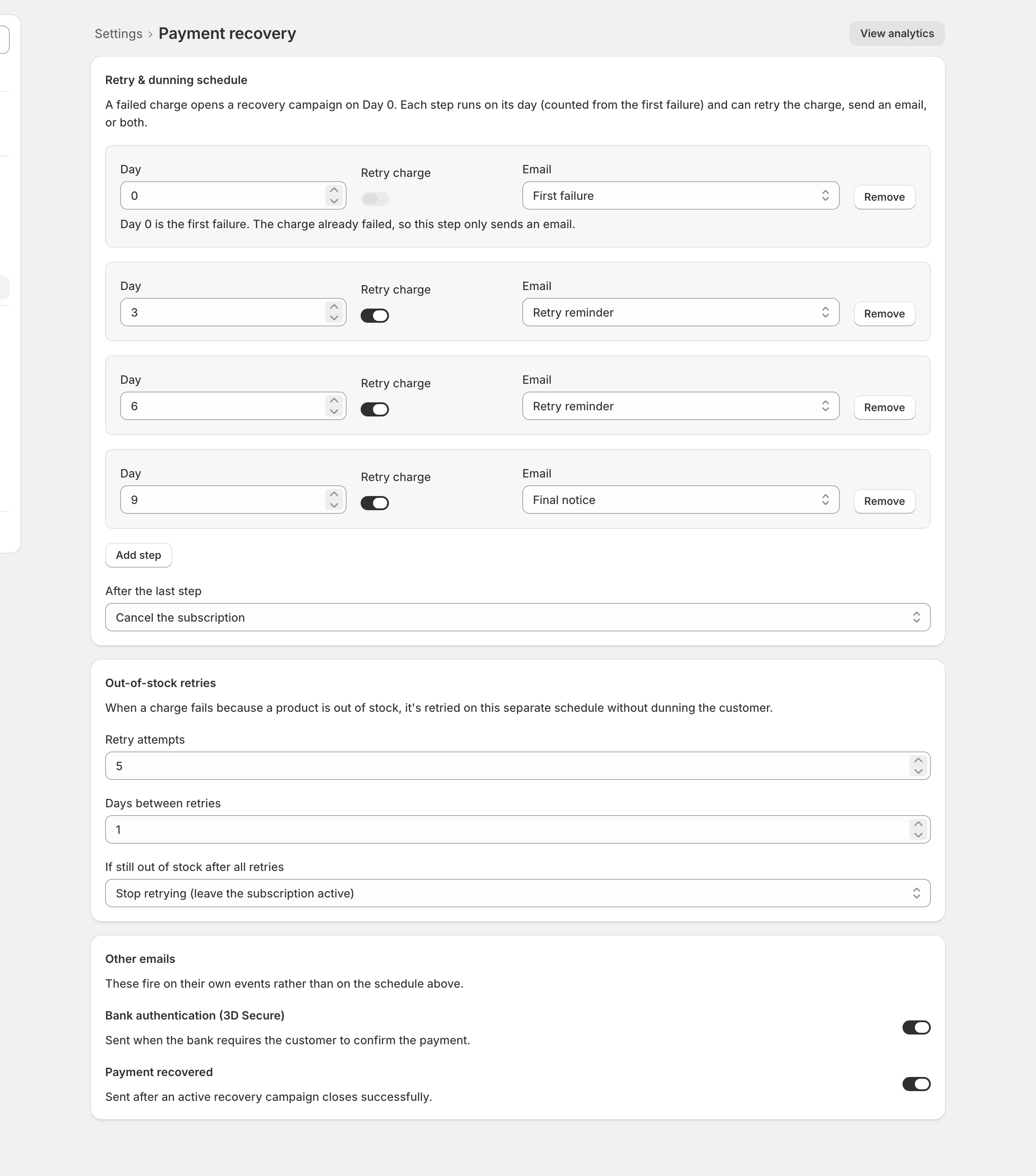
- Open Settings > Payment recovery. The schedule is a list of steps, each running on its day, counted from the first failure.
- Each step carries its Day, a Retry charge switch, an email to send (First failure, Retry reminder, Second reminder, Final notice, or Off), and a Remove control.
- An email-only step sends on its day. A step that also retries sends its email only if the retry fails.
- Day 0 is the exception: the charge already failed, so it only sends an email and its retry switch is greyed out.
- Add step to chase longer; remove steps to chase less.
Checkpoint: the days climb from top to bottom.
2
Choose the ending
- After the last step decides what happens when the schedule runs out: cancel the subscription (the default), pause it, or stop retrying and leave it active.
- The ending waits a few days after the final step, so the last email can land.
Checkpoint: After the last step shows the ending you want.
3
The two extras
- Out-of-stock retries are three fields: Retry attempts, Days between retries, and their own ending, If still out of stock after all retries, defaulting to Stop retrying (leave the subscription active). No emails go to the subscriber.
- Other emails holds two switches: Bank authentication (3D Secure), on by default, and Payment recovered, off by default.
Checkpoint: the switches and out-of-stock fields are set.
4
Save
- Click Save in the bar at the top of the page; nothing applies until you do.
Checkpoint: the save bar is gone.
Most stores set this once and never return. Saved edits take effect immediately, including for campaigns already in flight. The day-to-day view is When a payment fails, including each in-recovery subscription’s Payment recovery card with its Stop recovery button.